

Everything you need to run a live menu
Menu Tools covers the whole journey from the screen behind the bar to the QR code on the table for any venue with a menu.
Auto-refreshing TV displays
Every menu has its own public digital display URL. Open it full-screen on any TV or screen and it stays live.
When a menu has more items than fit on one screen, the display auto-paginates, cycling through pages so nothing is cut off.
Displays refresh roughly every five minutes. Edits you make appear on-screen with no manual reloading.
Run as many screens as you like with easy pairing
Pairing a screen takes about thirty seconds. You never type a password on the TV. Open Menu Tools on the screen. It shows a six digit code. Enter that code on your phone. Pick the menu the screen should run.
One menu has one display URL. Open that URL on as many screens as you want. Menu Tools charges by active menu.
Menu Tools runs on any device with a browser. That includes smart TVs, media sticks, or mini PCs.
Scannable QR-code menus
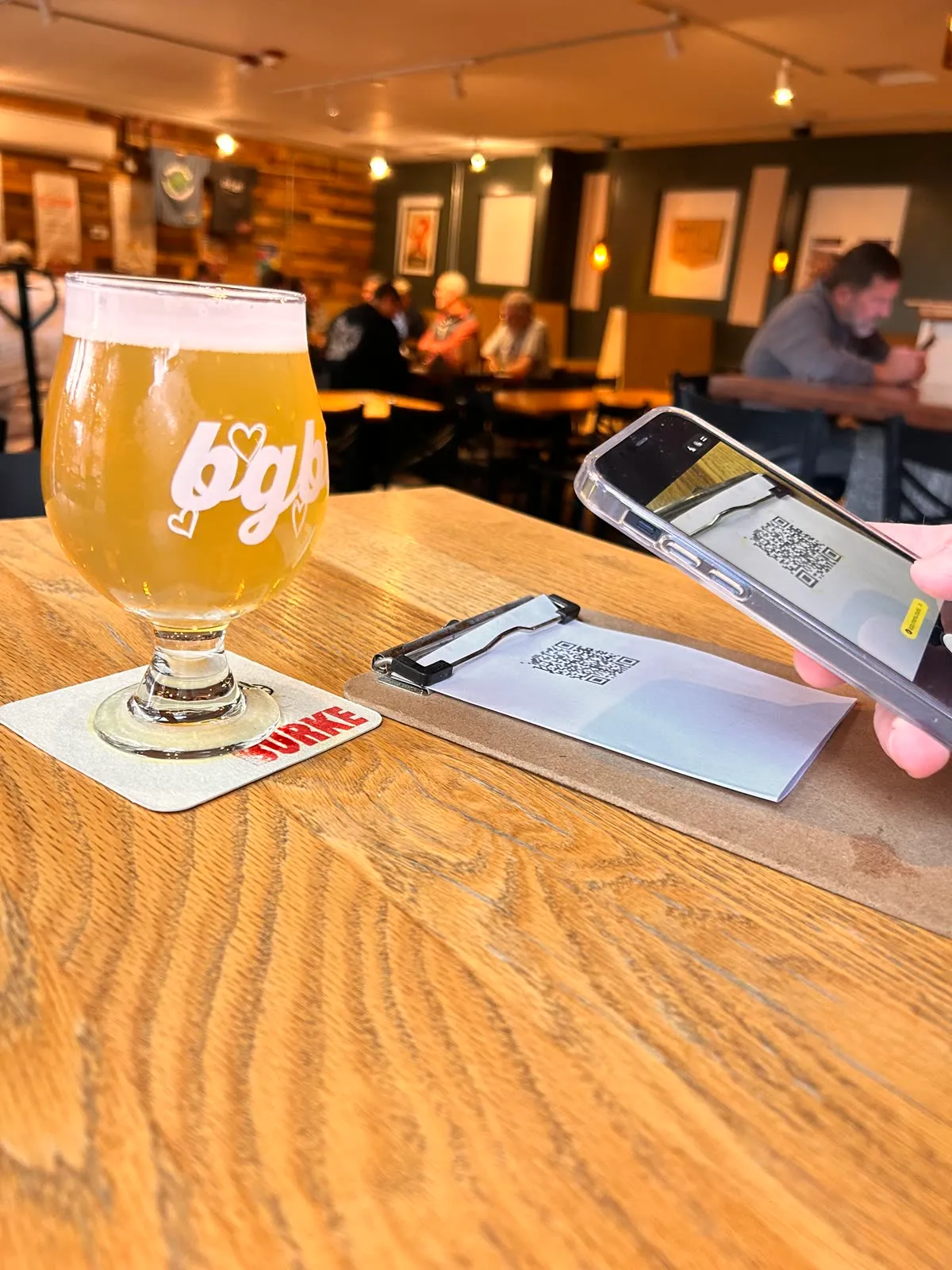
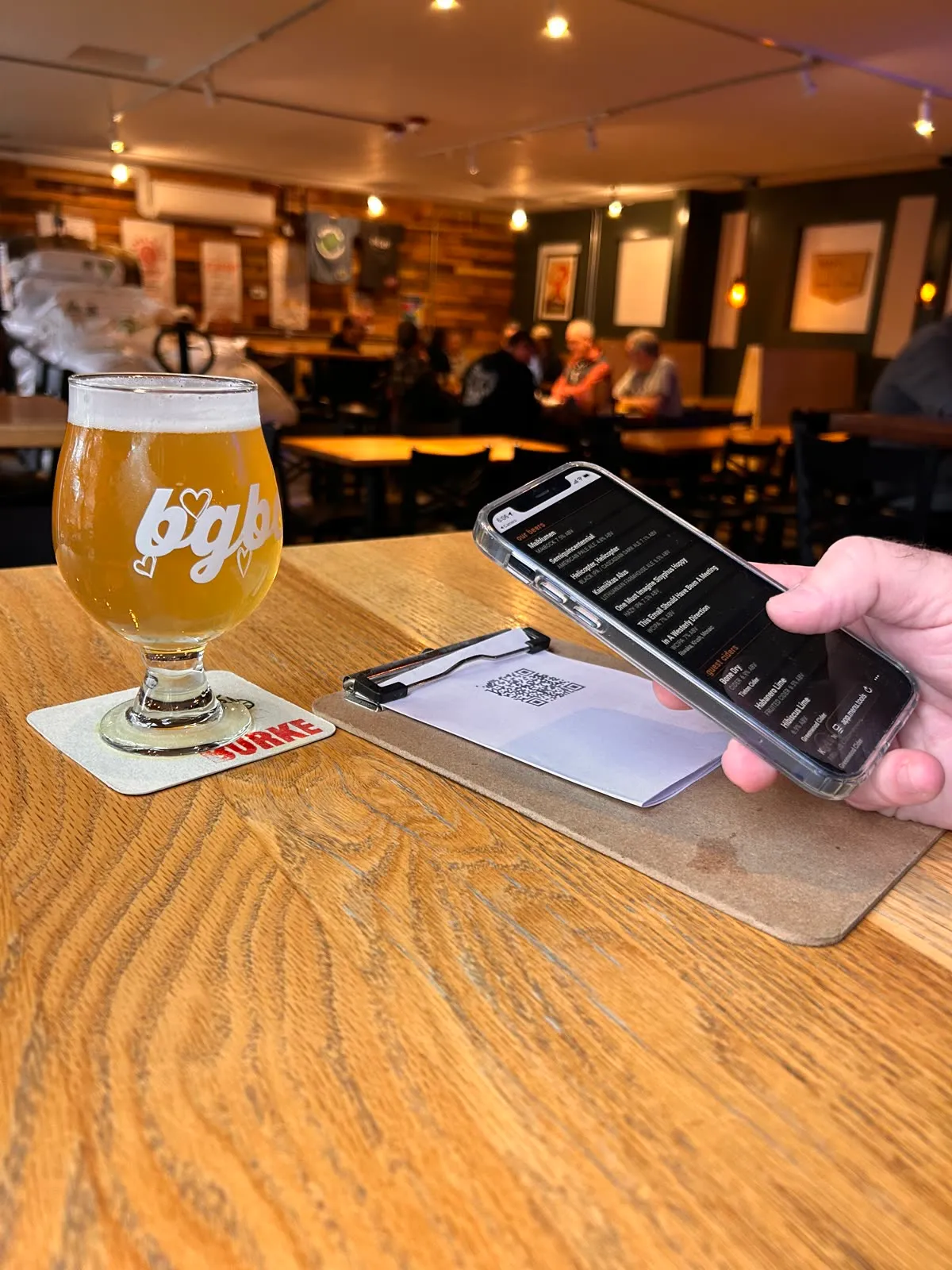
Customers scan a QR code and the live menu opens right in their phone browser without an app to install or account to create.
The QR menu shows the same menu data as the TV display.
Template customization
Make a designer template your own: colors, fonts, logo and its position, column count, and page duration.
Section layouts for any screen
Divide a menu into sections. Name each section separately. Every section carries its own heading, border, note, column count, background color, text color.
Choose from multiple section layouts: single, two, three, or four columns, stacked rows, or a nested arrangement that divides one side into rows. Pick your arrangement, then customize the sizes to set your own proportions.
Add a header. Add a footer. Each one carries your business name, your location, your menu name. Turn each piece on or off on its own. Enter text in a free footer line.
Need an arrangement we don't have? We can build a custom one for your venue.
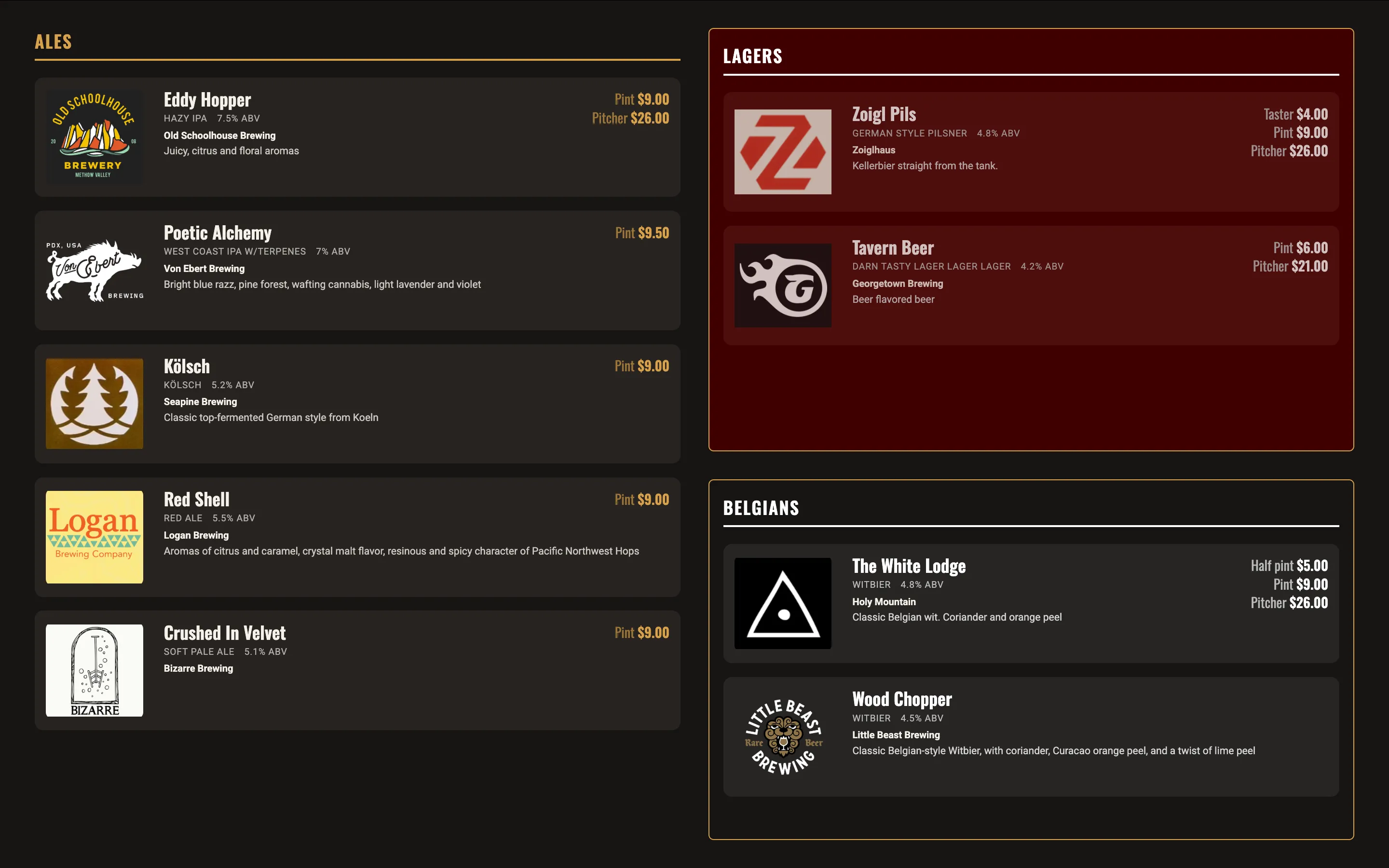
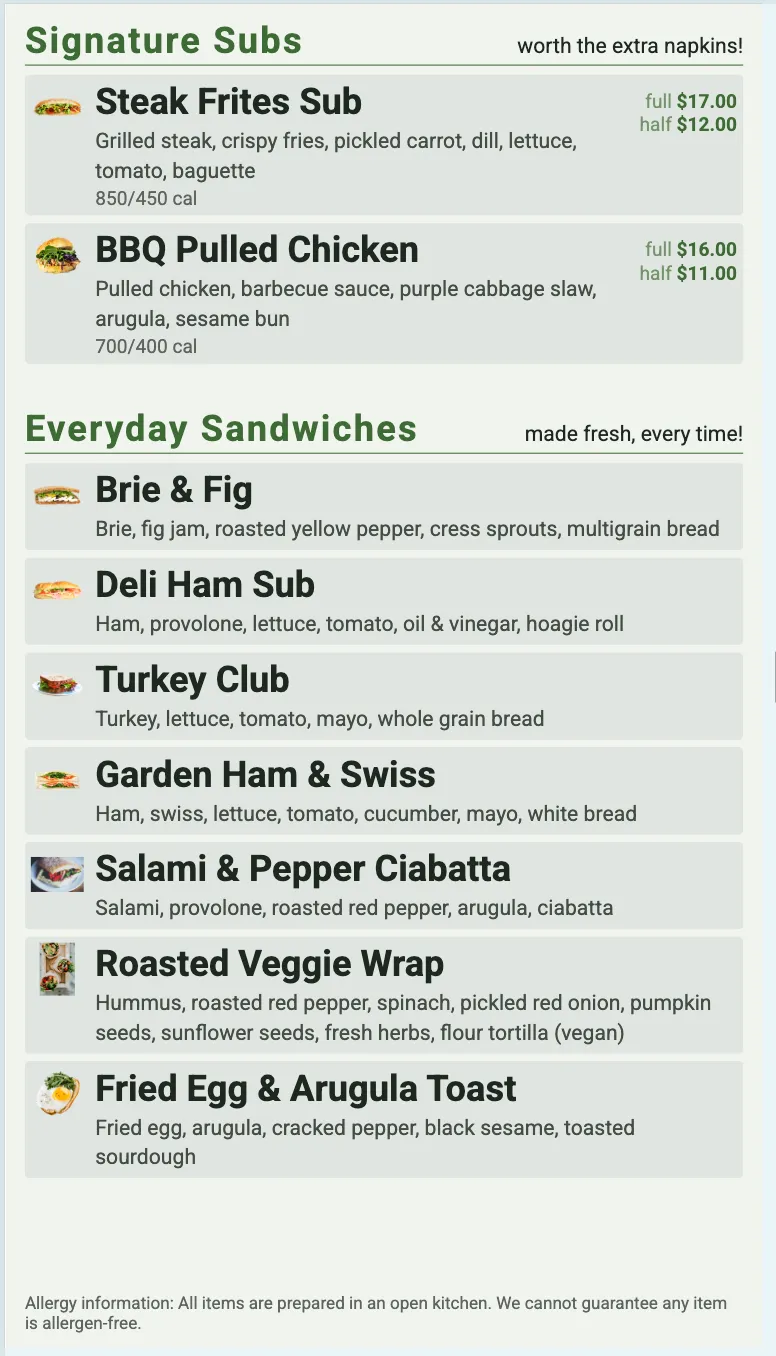
Colors and type that stay readable
Start from six color palettes. Each one is tested for WCAG AA contrast for ADA compliance. You can set your own background, text, or accent colors. The editor warns you if a color pair falls below compliance.
Pick from over twenty fonts. They group into sans, serif, display, slab, handwriting, monospace. Choose one of four sizes.
Location & menu management
Run multiple locations from one account, with multiple menus per location: a tap list, a wine list, a food board, and more.
Each location has a reusable item catalog. You build items once and use them across that location’s menus.
Publish on your terms
Build as many menus as you want — a breakfast menu, a lunch menu, a happy hour menu — each with its own display URL and QR code.
Keep a menu off while you're still building it, and turn it on when it's ready to go live.
Preview a menu in the editor before anyone sees it.
Your whole team, no seat limits
Invite as many team members as you need. Each one signs in under their own account.
Locations are unlimited too. Add a second venue. Add a fifth. There is no per location fee.
A catalog built for drinks and food
Add every item type including beer, wine, cider, food, and coffee with the details that matter: description, picture, calories, and multiple sizes with pricing.
Toggle an item’s availability on or off without re-editing the whole item. Removing something takes a tap.
Drag items into the order you want inside a section. Drag one straight into another section.
One item can appear on several menus at once. Change its price in the catalog. Every menu carrying it changes too.
Record details such as the brewery, ABV, style, and serve type (tap, bottle, can) of each beer.
Self-serve onboarding
Sign up and Menu Tools creates a default location and menu for you automatically. There’s something to work with from the start.
Add a few items, publish, and your TV display and QR menu are live in minutes.
Start serving smarter menus today
Setup your first menu in minutes. Or, talk to us about customizing a menu for you.